Curriculum links
Grade 3
- 3.OA.A.4 Determine the unknown whole number in a multiplication or division equation relating three whole numbers. For example, determine the unknown number that makes the equation true in each of the equations 8 × ? = 48, 5 = □ ÷ 3, 6 × 6 = ?.
- 3.OA.C.7 Fluently multiply and divide within 100, using strategies such as the relationship between multiplication and division (e.g., knowing that 8 × 5 = 40, one knows 40 ÷ 5 = 8) or properties of operations. By the end of Grade 3, know from memory all products of two one-digit numbers.
- 3.NBT.A.3 Multiply one-digit whole numbers by multiples of 10 in the range 10-90 (e.g., 9 × 80, 5 × 60) using strategies based on place value and properties of operations.
- 3.MD.C.7 Relate area to the operations of multiplication and addition.
Grade 4
- 4.NBT.B.5 Multiply a whole number of up to four digits by a one-digit whole number, and multiply two two-digit numbers, using strategies based on place value and the properties of operations. Illustrate and explain the calculation by using equations, rectangular arrays, and/or area models.
Year 2
- Recall and use multiplication and division facts for the 2, 5 and 10 multiplication tables, including recognising odd and even numbers
- Calculate mathematical statements for multiplication and division within the multiplication tables and write them using the multiplication (×), division (÷) and equals (=) signs
Year 3
- Recall and use multiplication and division facts for the 3, 4 and 8 multiplication tables
Year 4
- Recall multiplication and division facts for multiplication tables up to 12 × 12
Year 2
- AC9M2A03 Recall and demonstrate proficiency with multiplication facts for twos; extend and apply facts to develop the related division facts using doubling and halving **
Year 3
- AC9M3A03 Recall and demonstrate proficiency with multiplication facts for 3, 4, 5 and 10; extend and apply facts to develop the related division facts
Year 4
- AC9M4A02 Recall and demonstrate proficiency with multiplication facts up to 10 x 10 and related division facts; extend and apply facts to develop efficient mental strategies for computation with larger numbers without a calculator
Year 2
- Memorising multiplication and corresponding division facts for 2s, 5s, and 10s
Year 3
- Memorising multiplication and corresponding division facts for 2s, 3s, 4s, 5s, 8s, and 10s
Year 4
- Memorising multiplication and corresponding division facts for 2s to 10s
Year 5
- Memorising multiplication and corresponding division facts for 2s to 12s
1Learning goals and what to expect
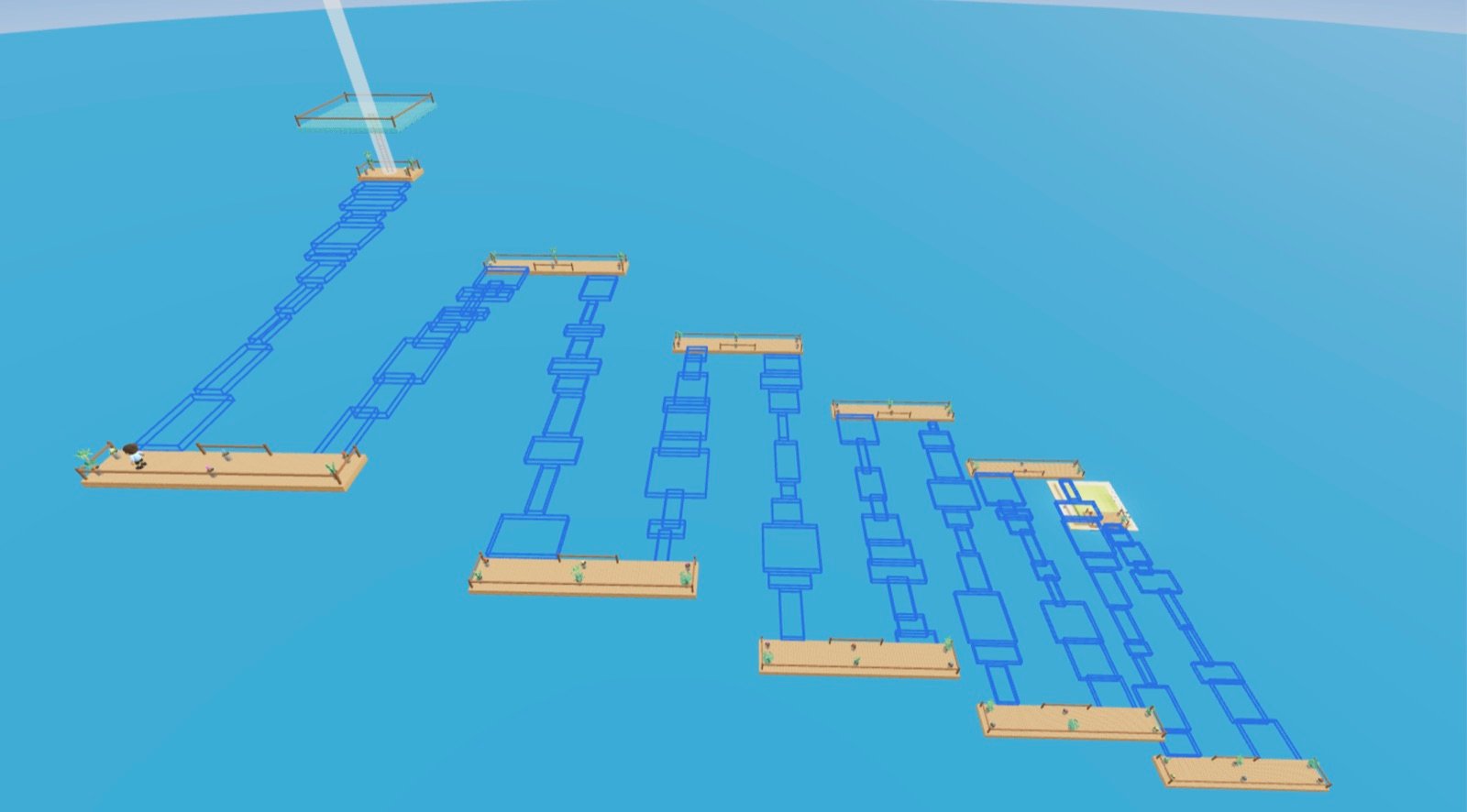
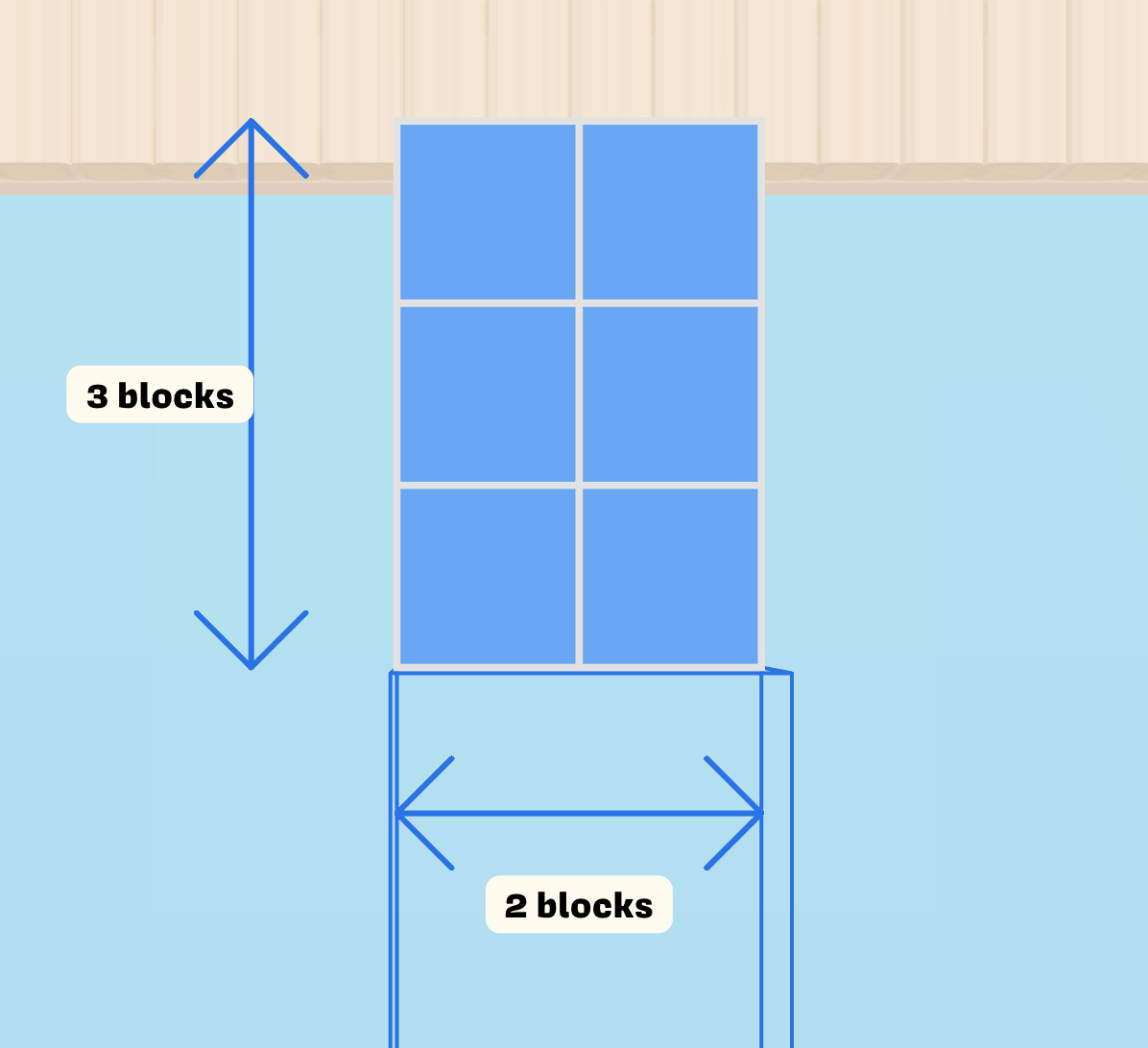
In Times Table Tower, each platform is a rectangle of blocks. To make the next platform appear, students work out how many blocks it has by multiplying one side by the other. All the while, the platform they're standing on is slowly disappearing.
Learning goals
- Understand multiplication as finding the number of unit squares in a rectangle.
- Connect rectangular arrays to times-table facts.
By the end of the lesson, students can
- relate objects in an array to multiplication facts
- recall multiplication facts confidently
- understand multiplication as a shortcut for counting individual objects
What to expect
It starts off easy, but the higher students climb, the faster the platforms disappear and the bigger the rewards get. Reaching the very top is a real achievement, so most students won't get there. Falling is part of the fun: students simply try again and see if they can beat their best.
Expect a noisy, excited room! Students will naturally start comparing how far they got and sharing tricks with each other.
Watch the walkthrough
This short video runs through the whole lesson from the teacher's side, so you know exactly what you and your students will see.
2Setting up a Polymath classroom
Do this before the day of the lesson. If you already use Polymath with your class, you can skip straight to what to do on the day.
- Create your teacher account. Sign up for free and choose that you're a teacher.
- Create a classroom and add your students. If your school uses Clever, your students can log in through Clever instead.
- Print or share login codes. Students log in at 321.plus, a short address that's easy for young typists.
- Check your school's network. Run the network check on a school device. If anything fails, ask your IT team to unblock the listed domains.
Tip: the first login always takes a little longer while students get used to their login. If you can, have your class log in once before the lesson. Don't worry, they get the hang of it quickly.
What you'll need
- One device per student, with internet access
- Your students' usual way of logging in to Polymath (login codes, Clever, or Google. Note: name-click login is not supported.)
- Optionally, a projector or big screen for your introduction
No devices? Just play as the teacher! Let your students tell you the answer in time and you can try to make it to the top.
3What to do on the day
Show this short video to your class to get them excited about what they're going to play.
1. Introduce arrays and multiplication
In the game, students calculate the number of blocks in a platform from its length and width. It helps if they've already met the idea of using multiplication to count the objects in an array, for example, 3 rows of 4 blocks is 3 × 4 = 12 blocks.
Every class is different, so it's entirely up to you how much to introduce first. Students will also pick the idea up intuitively through play, so you can jump straight into the game and come back to the concept afterwards.
Prefer to introduce it yourself? Read this aloud
Hi everyone! Today we're doing a Polymath playground activity. We're going to build platforms in an obstacle course as we race to reach the top!
To make each platform appear, you'll need to use your times tables. Multiply one side of the platform by the other side. Get it right and you can step onto the platform and answer the next one.
But don't take too long! If the platform you're standing on disappears, you'll fall and have to try again. Getting to the top is really tricky, so just see how far you can get. Good luck!
2. Get everyone logged in
Students log in at 321.plus, or through Clever. They can wait on the classroom island or their home island. You don't need to wait for everyone: anyone who joins late will be pulled into the game as soon as they reach an island.
3. Start the game
- Go to Start Live Game (or Edit if you've set one up before).
- For the game mode, choose Playgrounds, then Times Table Tower.
- Choose the times tables you want to practise.
- Select Open Times Table Tower. Students are pulled into the game from wherever they are.
4. Play
Students race to the top by answering multiplication questions before the blocks fall away underneath them. Your avatar will be on the island too: you're welcome to join in, or walk around the room while students play.
- Change the challenge: restart as many times as you like and pick different tables. Mix several tables together to make it harder.
- Get everyone's attention: use the Look up button to pause every student's screen.
- Support students who are stuck: encourage them to count a row of blocks, then think about how many rows there are.
4Finishing up
When you're ready to finish, close the island to bring the session to an end. Then bring the class back together to talk about what they noticed.
Review
Ask students to share the strategies they used to answer quickly and accurately:
- Did anyone count the blocks one by one? What was faster than that?
- Is a platform that's 3 by 5 the same size as one that's 5 by 3? How do you know?
- Which tables did you find easiest? Which ones would you like to practise more?
- If you know 5 × 4, how could you work out 6 × 4?
Keep practising at home
Polymath works at home too. Students can keep playing on their own home island, which means:
- More maths practice. Actions in the game take brain power, so playing means practising. You can see all of this activity on your classroom's Practices page.
- More connected maths. As students progress, they unlock new game features, each introducing new maths concepts that build their skills and intuition.
- More motivation. With characters, islands and experience to earn, Polymath turns maths into something more than a school subject.
If students don't use the same device at home, print their login codes for them to take home.
Questions? Send us an email at help@polymath.how. We'd love to hear how your class got on!